Follow-up
Automated Lead Follow-Up: A Simple Plan for Small Business
Plan a useful first reply, name the person in charge and decide when reminders should stop.
Fill in the simple request planA person asks for a quote. They get a message saying the team will reply. Then they wait, or keep getting reminders after they have already spoken to someone.
Automation should make that conversation easier. It means software does a step you have planned. It might create a task or send an allowed reply. It does not replace someone owning the request.
Start with one kind of request, one reply and clear rules for when reminders stop.

Plan one request from start to finish
Imagine a cleaning firm that receives a website request for an office-cleaning quote. This is a made-up example.
Before adding messages, write down:
| Decision | Simple plan to fill in |
|---|---|
| Request | Which service and form does this cover? |
| Person in charge | Who reviews and answers it? |
| Backup | Who covers when that person is away? |
| First reply | What can we truthfully say, through an allowed channel? |
| Next step | What will a person do and by when? |
| Stop rule | What happens after a reply, booking or request to stop? |
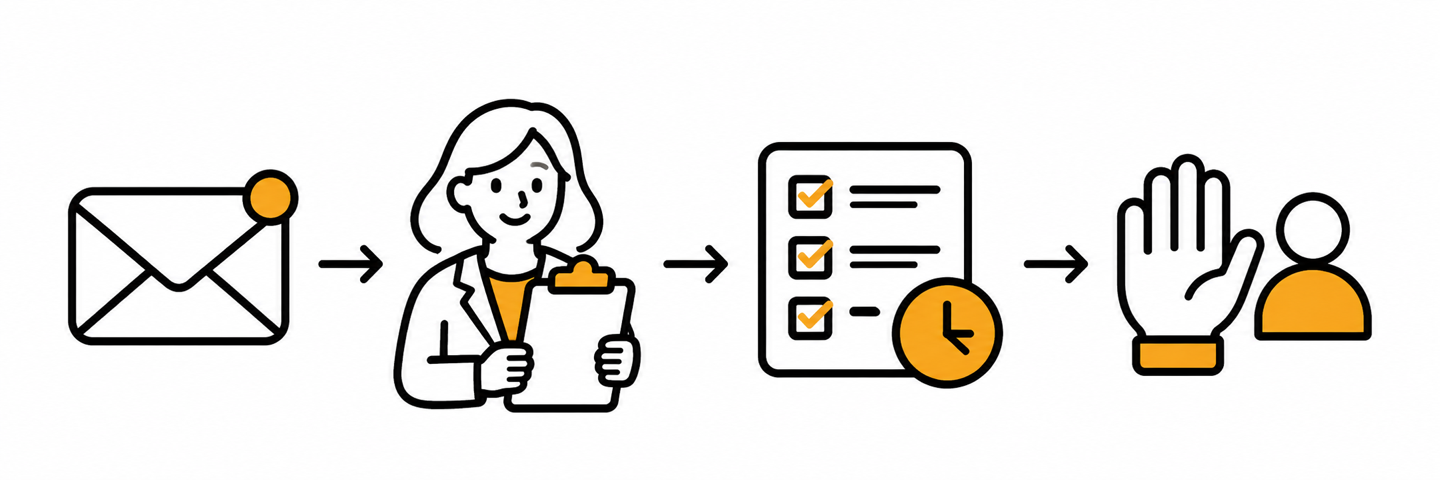
The real business should choose hours and reply times it can meet. Software running at night does not mean your team offers overnight service.
Send a clear first reply
A first reply can say you got the request. Do not say the price is set or the visit is booked before that is true.
Here is an original email to use as a guide for that cleaning request:
Subject: We received your cleaning request
Hi [first name], thanks for getting in touch with [business]. We got your request about office cleaning. Our team will look at it and reply during [actual business hours] to discuss the work.
Your visit is not booked yet. You can reply here with anything else we should know.
[Business name and correct sender details]
Replace every bracketed field with a verified fact. Use a reply address someone checks. If the request did not reach you, do not say you got it.
Ask the provider to check the email's purpose. Ask what details must go at the end. Adding a sales offer can change how it is treated. Do not hide a newsletter signup inside a quote reply.
Check permission before adding texts or marketing
A phone number on a form is not permission for every kind of text. Keep what they agreed to on file. Note which business, what messages and when they agreed.
If you send texts through Twilio, check its Messaging Policy. You need the right permission first. For marketing texts, it must be clear written permission given before you send. Answering one text does not let you start a series of sales texts.
The policy also says to make clear who sent the text. Give people an easy way to stop. The first message needs “Reply STOP to unsubscribe” or an allowed equivalent. Ask the provider to check the full rules for your messages. That includes what you send and when.
For commercial email, follow the FTC's CAN-SPAM guide. Use a true sender name and subject line. Make clear when an email is an ad. Include your valid business postal address and an easy way to stop marketing mail. A past customer can still opt out of marketing.
If permission is not clear, do not ask AI to guess. Check these points before you turn the plan on.
Stop reminders when the conversation changes
Agree on what should happen in each case:
- The person replies: send the reply to a human and stop unneeded reminders.
- They book: stop asking them to book the same visit.
- They decline: record it and stop the sales reminders.
- They ask to stop messages: stop affected messages and keep that choice recorded.
- A team member takes over: pause the plan so it does not work against them.
- Delivery fails: show the problem to the person in charge.
The same request arriving twice should not restart the whole series. A past customer may ask for a new job. Decide how that new request is handled.
A step marked done does not prove the person read your message. It does not prove your team spoke with them.
Keep AI's first job small
AI can help draft a reply or shorten notes. Give it approved business facts and have a person check the result.
Do not let a draft invent prices, service areas, available dates or a booking promise. Keep the original request available to the reviewer.
Start with draft-only help if the process is new. Set clear rules before it sends, books or changes a customer record. Check that it has the right permission.
Check the plan with your provider
Ask the provider how they will check each path. Include a new request and a repeat. Include a reply, a booking, a failed message and a request to stop.
Ask who sees each result and who fixes a missing handoff. A saved plan is not proof of delivery. The provider taking a message is not proof that it reached the right inbox.
This guide gives you a plan to review. It does not report tests we ran or tell you to send test messages.
At a weekly team check, look for requests with no reply or next step. Assign an action, a person and a date. Keep conversations, quotes, bookings and completed paid jobs separate.
Want help making the plan clear? Tell GetClients.ai how requests arrive today. Start with one request path your team can keep up with.